01
Show the plan before acting
Show how the agent understood the request and which layers it plans to edit.

AI Product Design · Agentic UX
Over 15 days, I studied how 7 designers used Figma’s AI Agent, identified 16 gaps in the editing experience, and developed 4 principles to guide my redesign.
Figma’s AI Agent can edit multiple layers at once, but it isn’t always clear what changed or how to fix an unwanted edit without undoing the rest.
I explored a workflow that lets designers preview, track, and correct individual AI-generated changes.
I identified 16 gaps while studying 7 designers using Figma’s AI Agent. My redesign explores how to address them before, during, and after the agent makes edits.
Today vs proposed
 Figma now
Tidy and polish Trip card / Rome, Trip card / Kyoto and Trip card / Lisbon…
Ask for changes
It’s unclear which layers the agent will change or where it’s making assumptions.
ProposedTidy and polish Trip card / Rome, Trip card / Kyoto and Trip card / Lisbon…
Plan2 backed·1 guess
Name: Frame 12 → Trip card / Rome
GuessYou didn’t ask for one.
0 accepted · 2 to review
Reply to the agent
Figma nowTidy and polish Trip card / Rome, Trip card / Kyoto and Trip card / Lisbon…
Reply to the agent
Designers see progress updates, but not a clear record of individual changes.
ProposedTidy and polish Trip card / Rome, Trip card / Kyoto and Trip card / Lisbon…
Plan1 of 4 done
Radius: 3 → 12
0:16 elapsed
Reply to the agent
Figma nowAlign the styles of Rome, Kyoto and Lisbon
Done! I updated 3 cards: rounded the corners, recoloured the buttons, made the headings bolder and evened out the spacing.
Ask for changes
The final summary doesn’t provide a layer‑level record for reviewing and reversing individual edits.
ProposedAlign the styles of Rome, Kyoto and Lisbon
Done12 edits
Reply to the agent
After running into issues myself, I wanted to know whether other designers faced the same problems. I explored this through usability sessions, community discussions, and Figma’s documentation.
 Personal experience
While using Figma’s AI Agent for everyday design tasks, I kept running into moments where I couldn’t easily follow or correct its changes. That prompted me to investigate further.

I observed 7 designers adding content, replacing placeholders, and making batch edits, focusing on where they needed to check or correct the agent’s work.

I reviewed Figma Community discussions, Reddit, and user reviews to see whether similar issues appeared beyond my sessions.

I checked Figma’s documentation to distinguish the agent’s documented behavior from issues reported by users.
Human oversight challenges
Half appeared before the agent made a single edit.
 Before the agent actsCan I tell what the agent is about to do?
 While the agent actsCan designers see and control what’s happening during an edit?
 After the agent actsCan designers review and correct what the agent changed?
Control over time
Confidence starts high, then declines as the work becomes harder to see, stop, and verify.
Set boundaries and review the plan.
 HighUncertain about scope
“Will it change only what I asked?”
Follow edits and intervene when needed.
 FallingLosing track of changes
“What is it changing right now?”
Review results and correct mistakes.
 LowUnsure what to keep
“What changed, and what needs fixing?”
Research synthesis
The bigger problem wasn’t that the agent could make mistakes. It was how difficult those mistakes were to manage.
Designers couldn’t easily:
Set boundaries before a run
Follow changes as they happened
Undo individual edits afterward
How might we
Set boundaries before a run
Make the plan clear
How might we help designers review what the agent understood and plans to change before it starts?
Follow changes as they happened
Make edits visible
How might we help designers follow the agent’s edits and step in when needed?
Undo individual edits afterward
Make mistakes easier to fix
How might we help designers review and correct individual edits without losing the changes they want to keep?
I used the research findings to define four principles for making AI edits easier to understand, follow, and correct.


Show how the agent understood the request and which layers it plans to edit.
Record what changed, where it changed, and whether a person or the agent made the edit.
Let designers undo individual edits and stop a run without losing completed changes.
Flag what the agent assumed and highlight edits that could affect more than intended.
I explored how other tools handle planning, change tracking, corrections, and uncertainty to see which patterns could work inside Figma’s canvas.

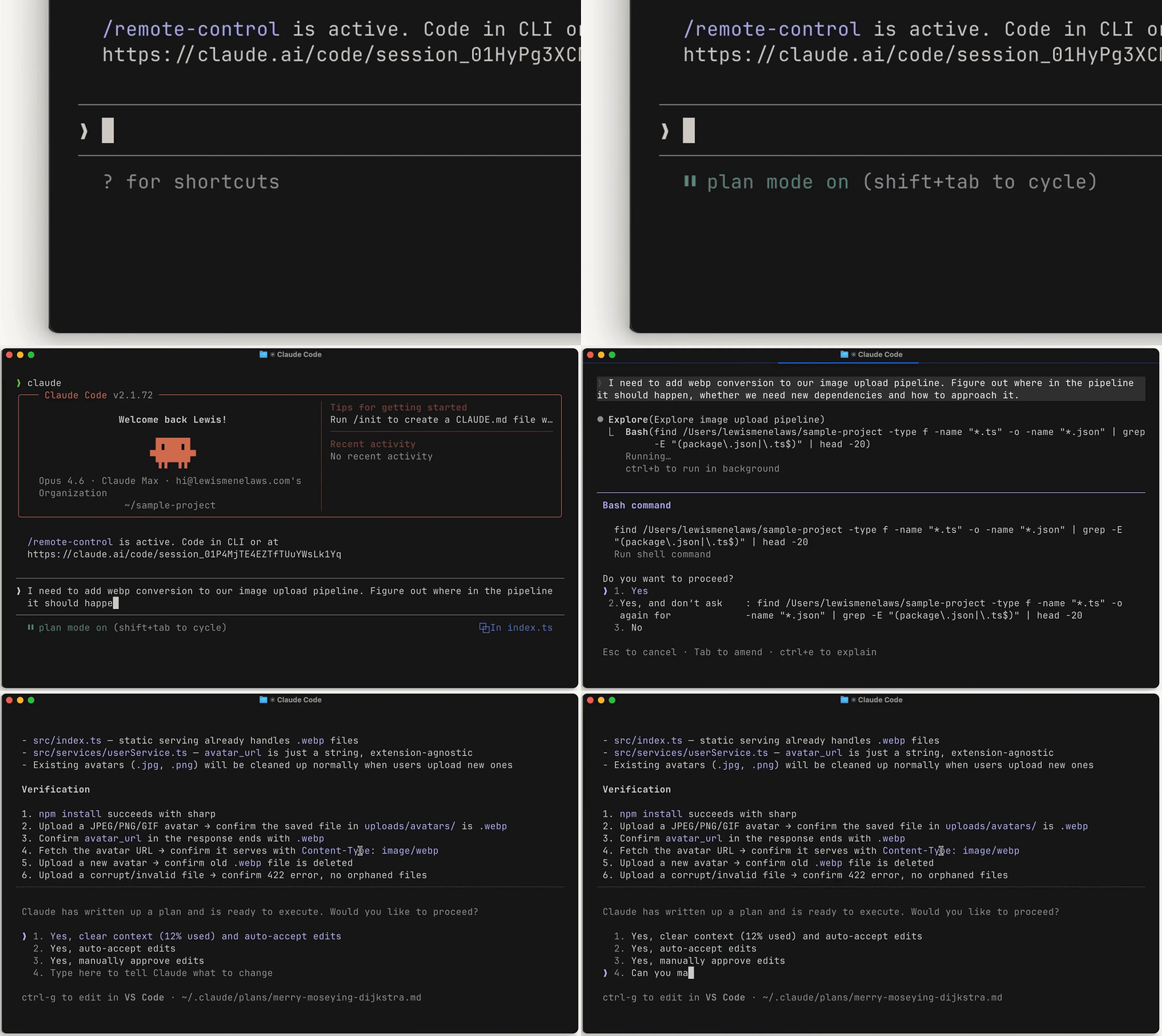

Claude Code – Plan mode

Plan mode and agent to-do list

Deep Research

Suggestion mode

Dev Mode - Compare changes

Pull request - Files changed
Version history

Record revision history
Review changes - Keep or undo
Claude Code - Checkpoints
Revert a single commit
Instances - Reset an override
Claude Code - Permission prompts
Double-check response
Repository settings - Danger Zone
Library - Publish changes
I brought together the most useful patterns from each tool and mapped them to four features across an agent run.
Stage 01 of 03
Today, Figma’s AI Agent can begin editing without showing how it interpreted the request, which layers it plans to change, or how far those changes might reach.
The shift
What if designers could check the agent’s intentions before anything changes?
Tidy and polish Trip card / Rome, Trip card / Kyoto and Button / Primary
How far should “polish” go?
Plan2 backed·1 guess
Name: Frame 12 → Trip card / Rome
GuessYou didn’t ask for one.
Five checkpoints help designers review the agent’s intentions before editing begins.
Six comparisons show the current Figma experience alongside my proposed interactions.
Tidy and polish Trip card / Rome, Trip card / Kyoto and Trip card / Lisbon. Keep Lisbon title on one line, use Button / Primary for the buttons, and keep the photos as they are.
Tidy and polish Trip card / Rome, Trip card / Kyoto and Trip card / Lisbon. Keep Lisbon title on one line, use Button / Primary for the buttons, and keep the photos as they are.
Selected layers appear as a count, making individual references harder to distinguish.
Mention layers directly in the prompt, with their names and icons attached to each reference.
Selection highlights can disappear when designers click elsewhere on the canvas.
Keep referenced layers outlined, even when the selection changes. Hovering a mention highlights its layer.
Tidy and polish Trip card / Rome, Trip card / Kyoto and Trip card / Lisbon…
Analyzing
Thinking
Weighing options
Working on it
Ask for changes
Tidy and polish Trip card / Rome, Trip card / Kyoto and Trip card / Lisbon…
One question before I plan.
How far should “polish” go?
Type your own answer
The agent may interpret vague instructions without asking what the designer intended.
Ask one focused question, with suggested answers and an option to write a custom response.
Tidy and polish Trip card / Rome, Trip card / Kyoto and Trip card / Lisbon…
Reply to the agent
Layout only
Here’s my plan as 3 suggestions, previewed on the canvas. Nothing changes until you run the ones you accept.
Plan3 steps
Rome, Kyoto, Lisbon · 9 layers
Name: Frame 12 → Trip card / Rome
Trip card × 3
Padding: 12 → 16
Even spacing that holds when the text changes.
Trip card / Lisbon / Title
Width: Fixed → Hug
0 accepted · 0 rejected · 3 to review
Reply to the agent
The agent can begin making edits before designers review the intended steps.
Preview proposed changes on the canvas and approve the plan before execution.
Tidy and polish Trip card / Rome, Trip card / Kyoto and Trip card / Lisbon…
Reply to the agent
Here’s my plan as 5 suggestions. Two parts are my guesses, so check those first.
Plan8 backed·2 guesses
Shrink the Hero card from 180 to 132px so the topics stay above the fold.
Add a streak card under the hero showing the current streak.
GuessYou didn’t ask for one. Streaks are a common upgrade hook.
Add a 7-day free trial banner to push paid upgrades.
Rename “Browse topics” to “Free topics”.
GuessYou didn’t name it. “Free” sets them apart from the Pro topics.
Add a Pro variant to the Topic card main component and switch Energy and Creativity to it.
0 accepted · 0 rejected · 5 to review
The agent’s assumptions aren’t clearly separated from the designer’s instructions.
Mark inferred steps with a purple indicator and a short explanation.
Tidy and polish Trip card / Rome, Trip card / Kyoto and Trip card / Lisbon…
Reply to the agent
PlanSteps 3–4 · this file
Explore: + Trial banner
Text: Browse topics → Free topics
0 of 4 accepted
Component changeRuns on its own
Topic card: + Pro variant
9 instances here change when it runs. Sleep app and Focus app get it after you publish.
The impact of editing a shared component may not be obvious before changes are made.
Show affected instances and require separate approval for shared-component edits. Publishing remains a distinct action.
Stage 02 of 03
Today, Figma’s AI Agent offers limited visibility into which step it’s working on, what it’s changing, and what happens when a run is stopped.
The shift
What if designers could follow the agent’s work and stop without leaving unfinished edits?
Plan1 of 4 done
Card × 3
Radius: 3 → 12
Weight: Regular → Semibold
Gap: 16 → 28
0:16 elapsed
Plan1 of 4 kept
Card × 3
Radius: 3 → 12
2 of 3 edits undone
Weight: Regular → Semibold
Gap: 16 → 28
Stopped at 0:16
Six checkpoints show how designers can follow, stop, inspect, and resume an agent run.
2 steps queued
Align the styles of Rome, Kyoto and Lisbon
Running your plan. I’ll tick off each step as it lands.
Plan1 of 4 done
Card × 3
Radius: 3 → 12
RomeKyotoLisbon
Weight: Regular → Semibold
Gap: 16 → 28
0:16 elapsed
Applying step 2 of 4…
Reply to the agent
2 steps queued
Align the styles of Rome, Kyoto and Lisbon
Running your plan. I’ll tick off each step as it lands.
Plan1 of 4 done
Card × 3
Radius: 3 → 12
RomeKyotoLisbon
Weight: Regular → Semibold
Gap: 16 → 28
0:16 elapsed
Stopping now keeps 1 finished step and rolls back step 2. Later steps never start.
Applying step 2 of 4…
Reply to the agent
Click an edit to preview it on the canvas
Align the styles of Rome, Kyoto and Lisbon
Stopped. Step 1 stays on the canvas. Step 2 was in progress and was rolled back. Steps 3 and 4 never started.
Plan1 of 4 kept
Card × 3
Radius: 3 → 12
2 of 3 edits made, now undone.
Fill: Grey/400 → Primary/500
Change the value above. Resume reruns this step from its first edit with it.
Weight: Regular → Semibold
Gap: 16 → 28
Stopped at 0:16
Reply to the agent
Click an edit to preview it on the canvas
Align the styles of Rome, Kyoto and Lisbon
Stopped. Step 1 stays on the canvas. Step 2 was in progress and was rolled back. Steps 3 and 4 never started.
Plan1 of 4 kept
Card × 3
Radius: 3 → 12
2 of 3 edits made, now undone.
Fill: Grey/400 → Primary/500
Change the value above. Resume reruns this step from its first edit with it.
Weight: Regular → Semibold
Gap: 16 → 28
Stopped at 0:16
Reply to the agent
Click an edit to preview it on the canvas
Align the styles of Rome, Kyoto and Lisbon
Stopped. Step 1 stays on the canvas. Step 2 was in progress and was rolled back. Steps 3 and 4 never started.
Plan1 of 4 kept
Card × 3
Radius: 3 → 12
2 of 3 edits made, now undone.
Fill: Grey/400 → Coral/500
Change the value above. Resume reruns this step from its first edit with it.
Weight: Regular → Semibold
Gap: 16 → 28
Stopped at 0:16
Reply to the agent
2 steps queued
Align the styles of Rome, Kyoto and Lisbon
Resuming step 2 with your colour, then carrying on with step 3. Nothing from before the stop is lost or applied twice.
Plan1 of 4 kept
Card × 3
Radius: 3 → 12
Fill: Grey/400 → Coral/500 Your edit
RomeKyotoLisbon
Weight: Regular → Semibold
Gap: 16 → 28
0:02 elapsed
Applying step 2 of 4…
Reply to the agent
Four comparisons show the current experience alongside my proposed interactions.
Tidy and polish Trip card / Rome, Trip card / Kyoto and Trip card / Lisbon…
Reply to the agent
Align the styles of Rome, Kyoto and Lisbon
Running your plan. I’ll tick off each step as it lands.
Plan1 of 4 done
Card × 3
Radius: 3 → 12
Weight: Regular → Semibold
Gap: 16 → 28
0:16 elapsed
Applying step 2 of 4…
Reply to the agent
Progress updates don’t clearly show each planned step, affected layer, or property change.
The approved plan becomes a live checklist, showing completed steps, ongoing edits, and a Stop option.
Layers can change without a clear indicator of where the agent is currently working.
Highlight the active layer with an agent-colored outline linked to the current plan step.
Tidy and polish Trip card / Rome, Trip card / Kyoto and Trip card / Lisbon…
Reply to the agent
2 steps queued
Run summaries don’t provide a detailed record of every changed layer and property.
A live log records each edit with its layer, property, and before-and-after values, grouped by step.
Tidy and polish Trip card / Rome, Trip card / Kyoto and Trip card / Lisbon…
Reply to the agent
Align the styles of Rome, Kyoto and Lisbon
Running your plan. I’ll tick off each step as it lands.
Plan1 of 4 done
Card × 3
Radius: 3 → 12
RomeKyotoLisbon
Weight: Regular → Semibold
Gap: 16 → 28
0:16 elapsed
Stopping now keeps 1 finished step and rolls back step 2. Later steps never start.
Applying step 2 of 4…
Reply to the agent
Align the styles of Rome, Kyoto and Lisbon
Stopped. Step 1 stays on the canvas. Step 2 was in progress and was rolled back. Steps 3 and 4 never started.
Plan1 of 4 kept
Card × 3
Radius: 3 → 12
2 of 3 edits made, now undone.
Fill: Grey/400 → Primary/500
Change the value above. Resume reruns this step from its first edit with it.
Weight: Regular → Semibold
Gap: 16 → 28
Stopped at 0:16
Reply to the agent
Align the styles of Rome, Kyoto and Lisbon
Stopped. Step 1 stays on the canvas. Step 2 was in progress and was rolled back. Steps 3 and 4 never started.
Plan1 of 4 kept
Card × 3
Radius: 3 → 12
2 of 3 edits made, now undone.
Fill: Grey/400 → Coral/500
Change the value above. Resume reruns this step from its first edit with it.
Weight: Regular → Semibold
Gap: 16 → 28
Stopped at 0:16
Reply to the agent
Align the styles of Rome, Kyoto and Lisbon
Resuming step 2 with your colour, then carrying on with step 3. Nothing from before the stop is lost or applied twice.
Plan1 of 4 kept
Card × 3
Radius: 3 → 12
Fill: Grey/400 → Coral/500 Your edit
RomeKyotoLisbon
Weight: Regular → Semibold
Gap: 16 → 28
0:02 elapsed
Applying step 2 of 4…
Reply to the agent
Stopping doesn’t clearly explain which edits were completed or what state the file was left in.
Keep completed steps, roll back unfinished edits, and let designers revise or skip a step before resuming.
Stage 03 of 03
Today, Figma’s AI Agent provides a summary when it finishes, but reviewing individual changes and correcting one unwanted edit can still be difficult.
The shift
What if designers could keep what works and undo only what doesn’t?
Five checkpoints show how designers can review, correct, and publish the agent’s work.
Four comparisons show how my redesign makes reviewing, correcting, and publishing edits more manageable.
Align the styles of Rome, Kyoto and Lisbon
Done! I updated 3 cards: rounded the corners, recoloured the buttons, made the headings bolder and evened out the spacing.
Align the styles of Rome, Kyoto and Lisbon
Done. Here’s what changed, step by step.
Reply to the agent
The final summary offers limited detail about which layers and properties changed.
A review summary groups edits by step, with counts and links to individual changes.
Align the styles of Rome, Kyoto and Lisbon
Done! I updated 3 cards: rounded the corners, recoloured the buttons, made the headings bolder and evened out the spacing.
Individual edits aren’t presented as separate proposals that designers can accept or reject.
Accept or reject entire steps or individual edits, keeping unrelated changes intact.
The canvas shows the result, while existing version comparisons don’t directly organize changes by agent run.
Compare the canvas before and after the run, inspect property values, and revert individual changes.
Align the styles of Rome, Kyoto and Lisbon
Done! I updated 3 cards and changed the Button main component to coral, so every button follows.
The impact of edits to shared components may not be clear within the agent’s response.
Hold shared changes for separate review, show their reach, and require deliberate publishing.
After designing the three-stage workflow, I wanted to test whether it worked beyond the happy path. Could designers catch unwanted changes, follow the agent’s progress, and correct mistakes without losing good work?
I designed five realistic editing scenarios to evaluate what designers could notice, understand, and do without guidance.
Study setup
Interactive Figma concept
Inspect Dev Mode
/* Moderated usability testing */
participants: 8 designers;
session-duration: 35 minutes;
scenarios: 5;
format: "Five scenario-based tasks";
prototype: "Interactive Figma concept";
focus: comprehension, error-detection,
       recovery, efficiency;
I designed each scenario around a moment where the agent might misunderstand a request, make an unwanted change, or require designer intervention.
Layers 5 scenarios
Scenario 01
Can designers spot and correct the mistake before execution?
Scenario 02
Can designers stop the run, identify what remains, and resume with a revised value?
Scenario 03
Can designers reverse only the Paris edit without losing the other changes?
Scenario 04
Can designers understand the impact and decide whether to publish?
Scenario 05
Does the oversight workflow add unnecessary effort to a simple task?
8 designers×5 scenarios=40 tasks35 minutes each
Overall task success
82.5%
of scenario goals met
33 / 40 tasksMedian task duration
2m 15s
Average task ease (out of 7)
5.8 / 7
By scenario
Layers 5 scenarios
Catch an unwanted change01 · Before the agent acts · Unwanted edits caught
7/8Stop and redirect the agent02 · While the agent acts · Stop behavior understood
6/8Fix one edit, keep the rest03 · After the agent acts · Selective recovery completed
7/8Recognize wider impact04 · Risk flags · Shared impact recognized
5/8Complete a simple edit05 · Efficiency · Simple-edit completion
8/8Qualitative findings
✓ Worked
Keep affected layers and assumptions visible within the plan.
! Friction
Explain what will be kept and rolled back beside the Stop control.
! Friction
Separate local approval from publishing and show affected files and instances.
Send the prompt. Then steer.
Click Send to start. The next click is always highlighted.More control also meant more decisions for designers.
01 · What I learned
A text edit shouldn’t get the same review as a shared component change.
02 · What I’d reconsider
Surface what needs attention. Keep the rest on demand.
03 · What’s next
Edits depend on each other, so selective undo isn’t simple yet.
My biggest takeaway
Designing for AI isn’t about making every action visible. It’s about helping people understand what matters, decide when to step in, and move forward without second-guessing the tool.